Calm Narrator
Clear product walkthrough delivery with controlled expression.
[warm and reassuring] Welcome back. Your report is ready.Consistent product voices
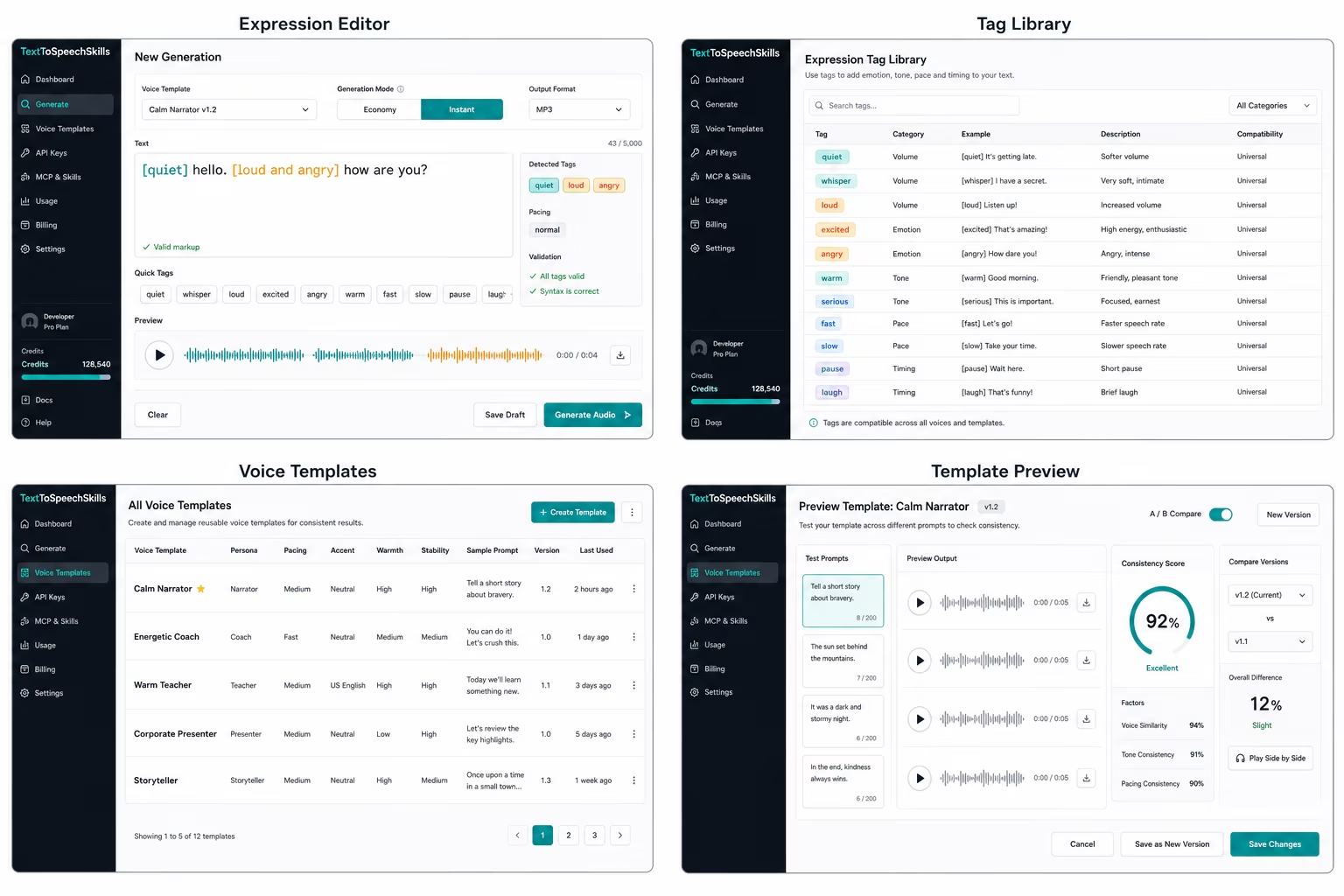
Voice templates turn subjective voice direction into a saved product asset. Store persona notes, delivery rules, and version history so support flows, lessons, alerts, and agent replies stay recognizable.
Voice templates in TextToSpeechSkills are reusable settings for persona, tone, pace, warmth, stability, sample prompts, and style rules. They let teams separate the voice from the script, which means a developer or LLM agent can send text plus a template ID instead of repeating subjective voice instructions in every request. Templates are versioned so teams can test changes before making them active. This is especially useful for apps, channels, courses, and agents that need the same recognizable voice across many pieces of generated speech.
Template gallery
Each clip uses a different approved template and a short natural-language direction. Templates keep the role stable; markup directs the moment.
Clear product walkthrough delivery with controlled expression.
[warm and reassuring] Welcome back. Your report is ready.Patient lesson delivery for onboarding and learning content.
[warm and patient] Today we'll turn one clear idea into a voice your learners can follow.Controlled momentum for launches and motivating product clips.
[excited but controlled] Your launch is ready. Let's turn the next update into audio people remember.Easy LLM setup
Give your LLM agent a template name instead of a pile of style instructions. It can reuse approved voices without changing your product settings.
Read setup guideTest new delivery settings against sample prompts before promoting a template for production use.
Developers send text and a template ID instead of repeating style instructions in every request.
Teams on Pro and higher can manage shared templates under central billing and scoped keys.
Store stable persona and default pacing in the template, but leave scene-specific emotion in readable markup so reviewers can see what changes from one job to the next.
The LLM setup guide uses template IDs as the voice contract for API jobs today and for the focused MCP workflow after npm publication.
Teams that need consistent voices across prompts, scripts, and products usually need a repeatable path for writing, review, generation, billing, and reuse. The most important jobs here are version every change, separate voice from content, ready for workspaces, keep expression in the script, connect templates to the setup guide. Those are the moments where voice becomes part of real work instead of a one-off export.
Start with readable text, add natural-language expression directions when tone matters, choose an approved voice template, and create a speech job through the UI or API. After npm publication, MCP will use the same pattern for voice templates, consistent text-to-speech voice, speech templates, helping humans and LLM apps share one process without exposing internal routing or credentials.
Decide which templates are approved, how natural expression markup should be reviewed, who can create workspace keys, and which usage limits are acceptable. Those choices keep automated voice generation useful without letting it sprawl from the first paid Test plan through Pro, Scale, and Business usage.
Common questions
These are the practical details that matter before a team adds speech generation to a real workflow.
Teams that need consistent voices across prompts, scripts, and products should use this page when they want generated speech that is easy to review, consistent across prompts, and simple to connect to LLM tools. The core workflow combines natural expression markup, voice templates, credit previews, and job-based generation.
Give your LLM agent a template name instead of a pile of style instructions. It can reuse approved voices without changing your product settings. The setup guide keeps the first path short while still giving developers a clean API when the workflow moves into a product backend.
Every paid plan uses credits. Teams can add credit packs when needed, and workspaces on Pro and higher add central billing for $2 per user per month.
API playground
{
  "text": "[quiet] hello. [loud and angry] how are you?",
  "voice_template": "vt_calm_narrator_v1",
  "format": "wav"
}MCP package
npm release status
Install commands are not available yetThe package is prepared for release but is not published. Use the browser studio or API today; MCP commands will appear here after npm publication.
Read API docs